Overview
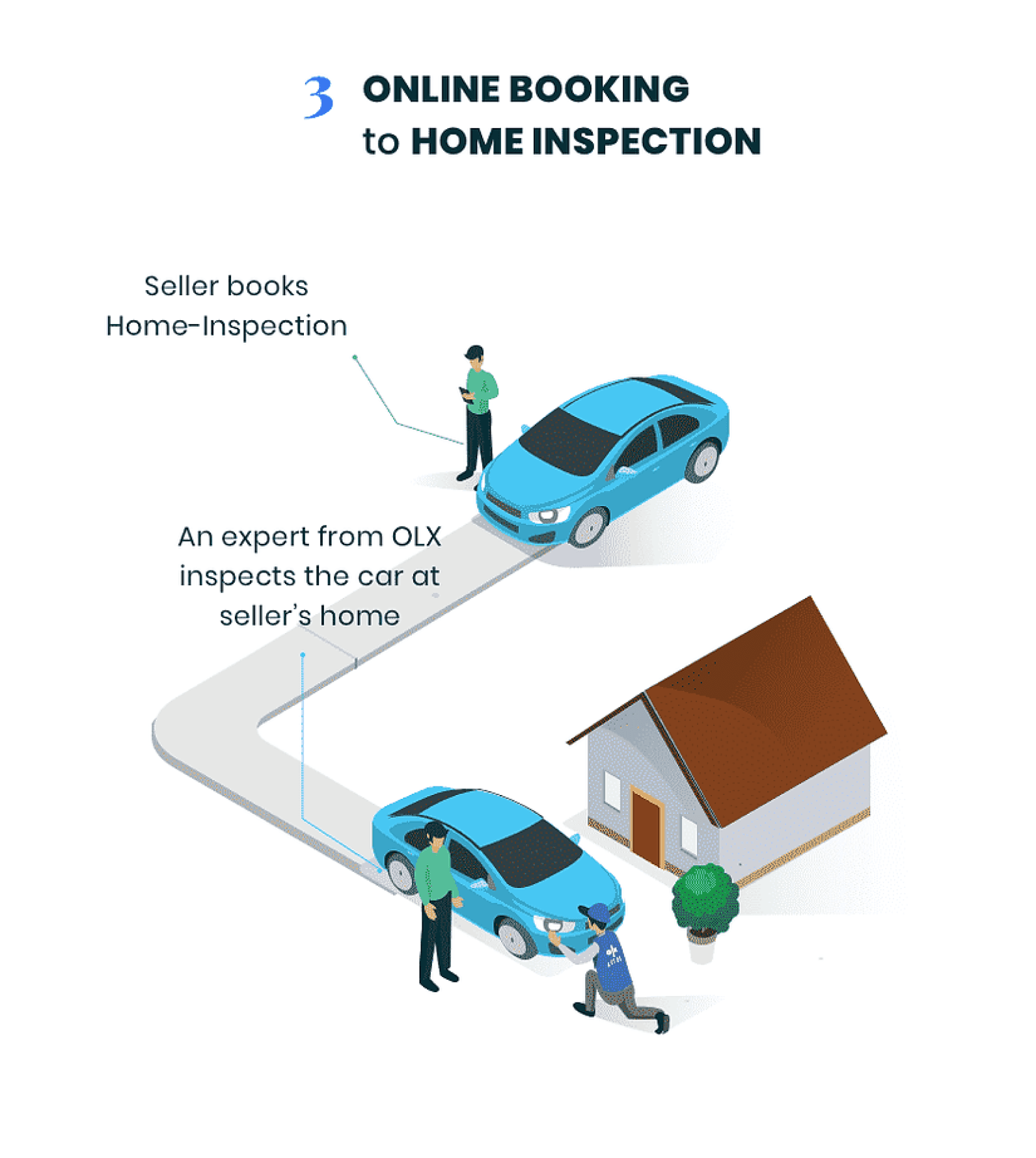
Self Inspection lets a seller inspect the car at home. The bar was not "good enough photos." It was quality close enough to a physical inspection that OLX could price the car with confidence.
- Product
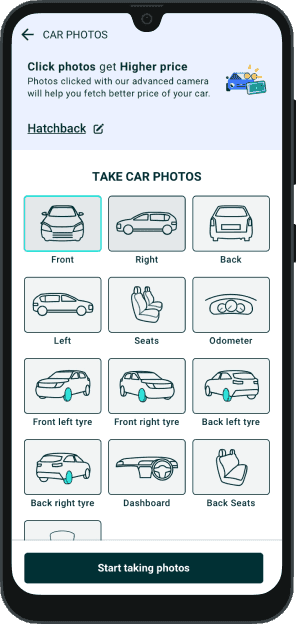
- AI-assisted flow: a short tap-through for facts, then a camera that tells you how to shoot condition.
- Bet
- If sellers can do the inspection, OLX stops sending an engineer to every driveway and still gets trustworthy data.
- Role
- Two designers. I shaped the concept, the visuals, the camera, UATs, and later A/B tests.
Problem
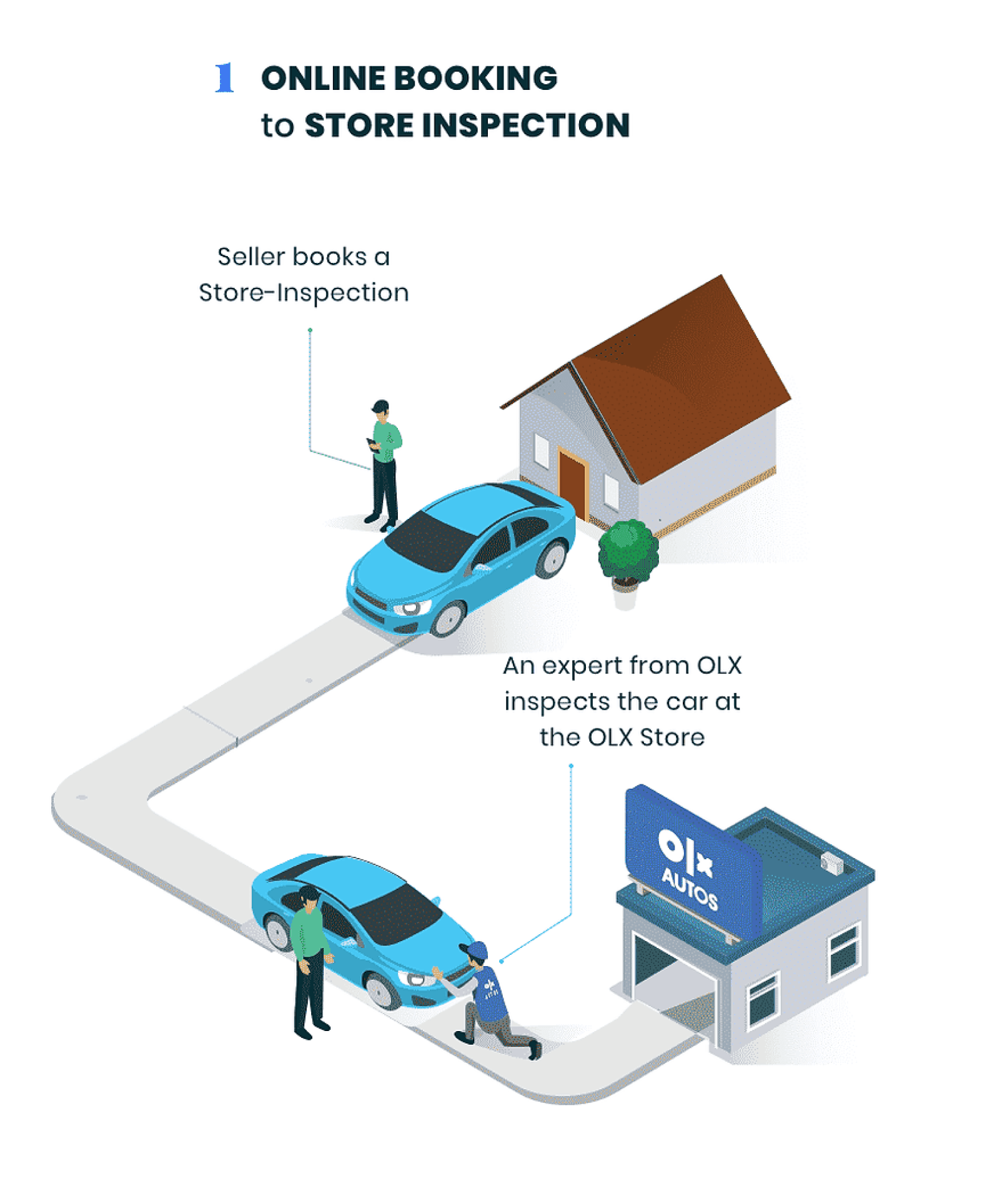
Selling online meant a long form, then a wait. An OLX inspector still had to see the car at home or at a store. Slow for the seller. Expensive for the business. Hard to grow.
- The form was tedious. People abandoned it.
- Every listing still needed a person on site.
- Ops cost sat on physical inspections, so volume was capped.
Approach
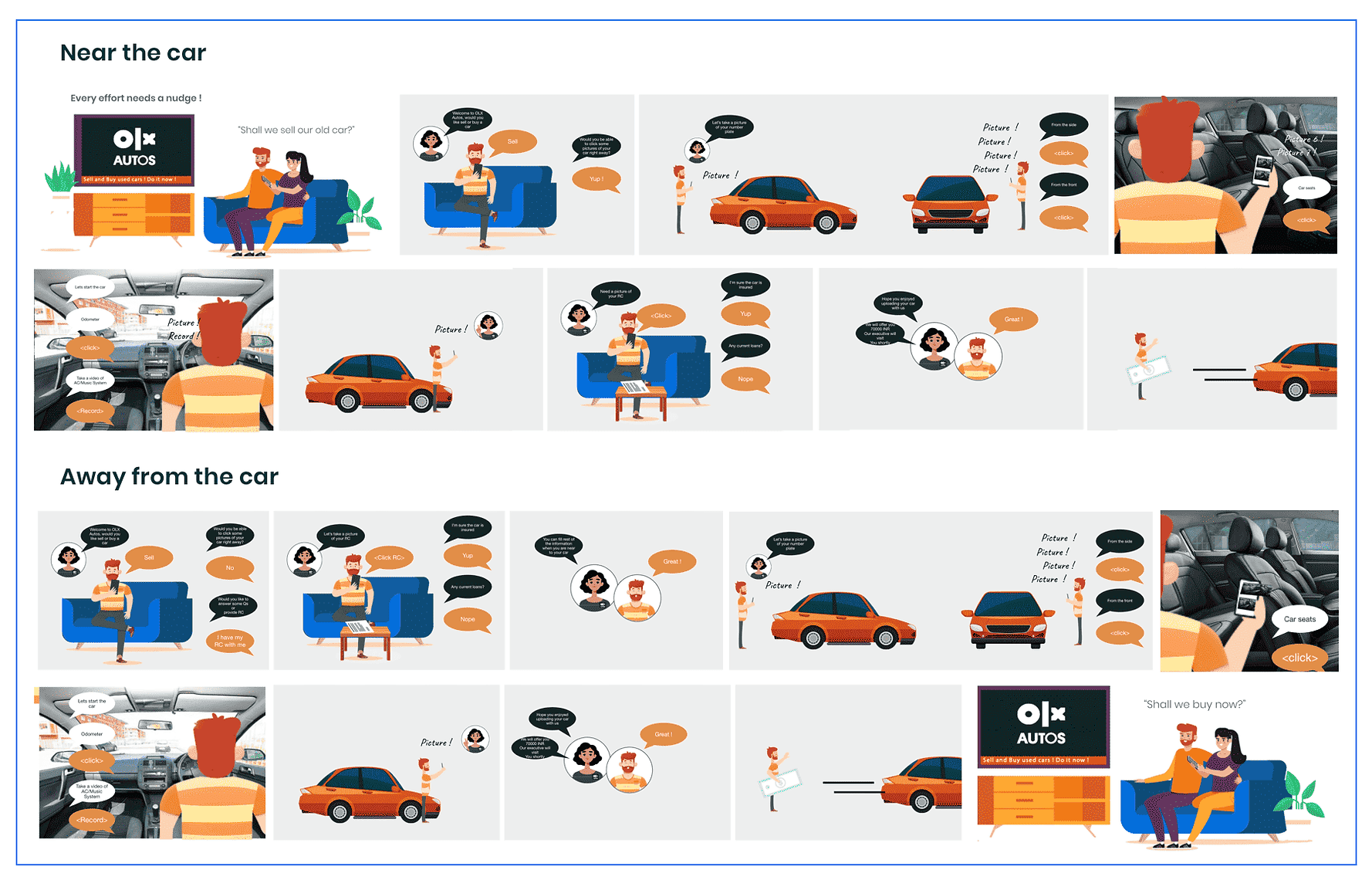
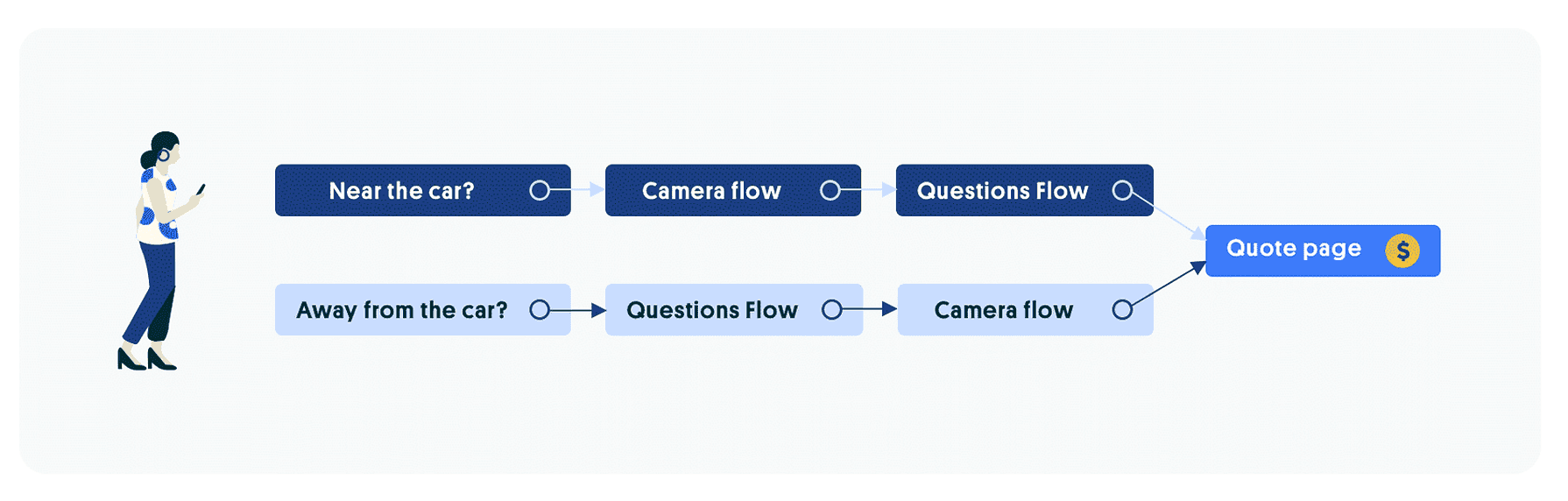
Research and benchmarking pointed at two jobs: a tap-tap path for car facts, and a guided image capture for condition. Storyboards forced the hard split before concepts: is the seller near the car, or away from it?
Two contexts, two paths
Path A
Near the car
Shoot first. Capture condition while you are already next to it, then finish the facts.
Path B
Away from the car
Documents and questions first. Photos wait until you can get to the vehicle.
Four concepts, one ship decision
Low-fi ideation put four directions on the table. A Dreamer / Optimistic / Critic workshop weighed timeline, tech, and fit, then picked what could clear the data-quality bar.
Concept 1
Gamified chat
Playful conversation to keep people moving through questions.
Concept 2
OLX as buyer or engineer
A conversational inspection with OLX playing the counterparty.
Concept 3
Camera as the assistant
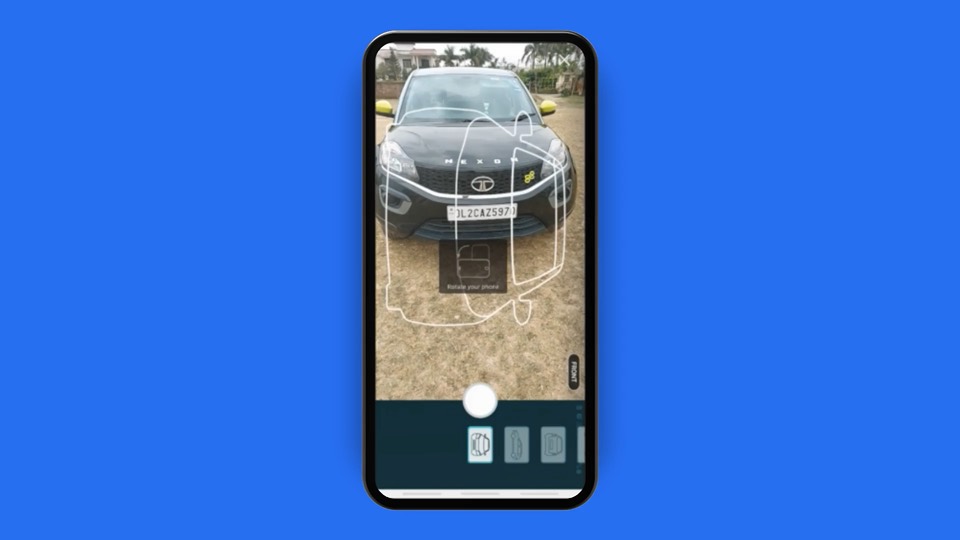
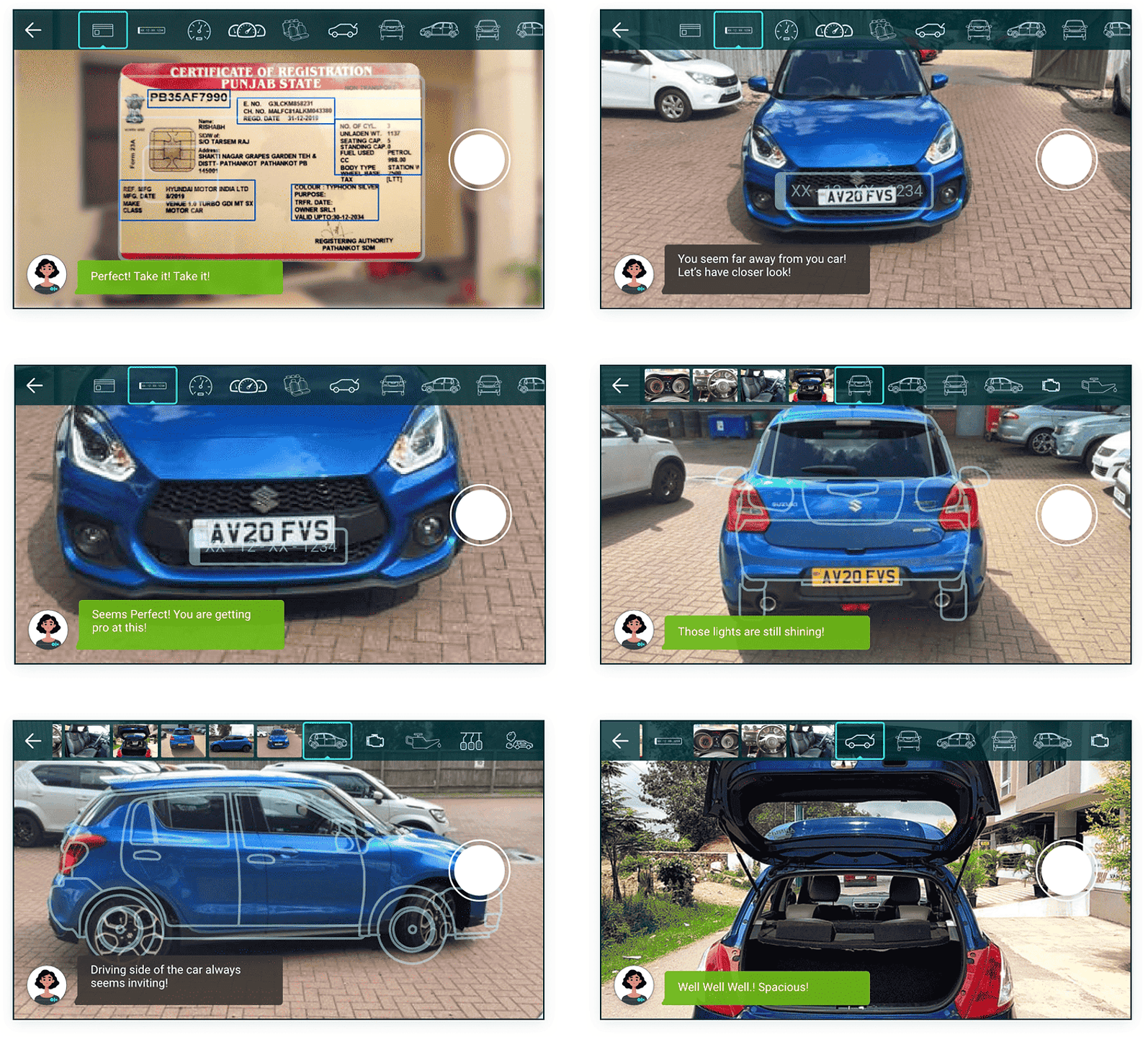
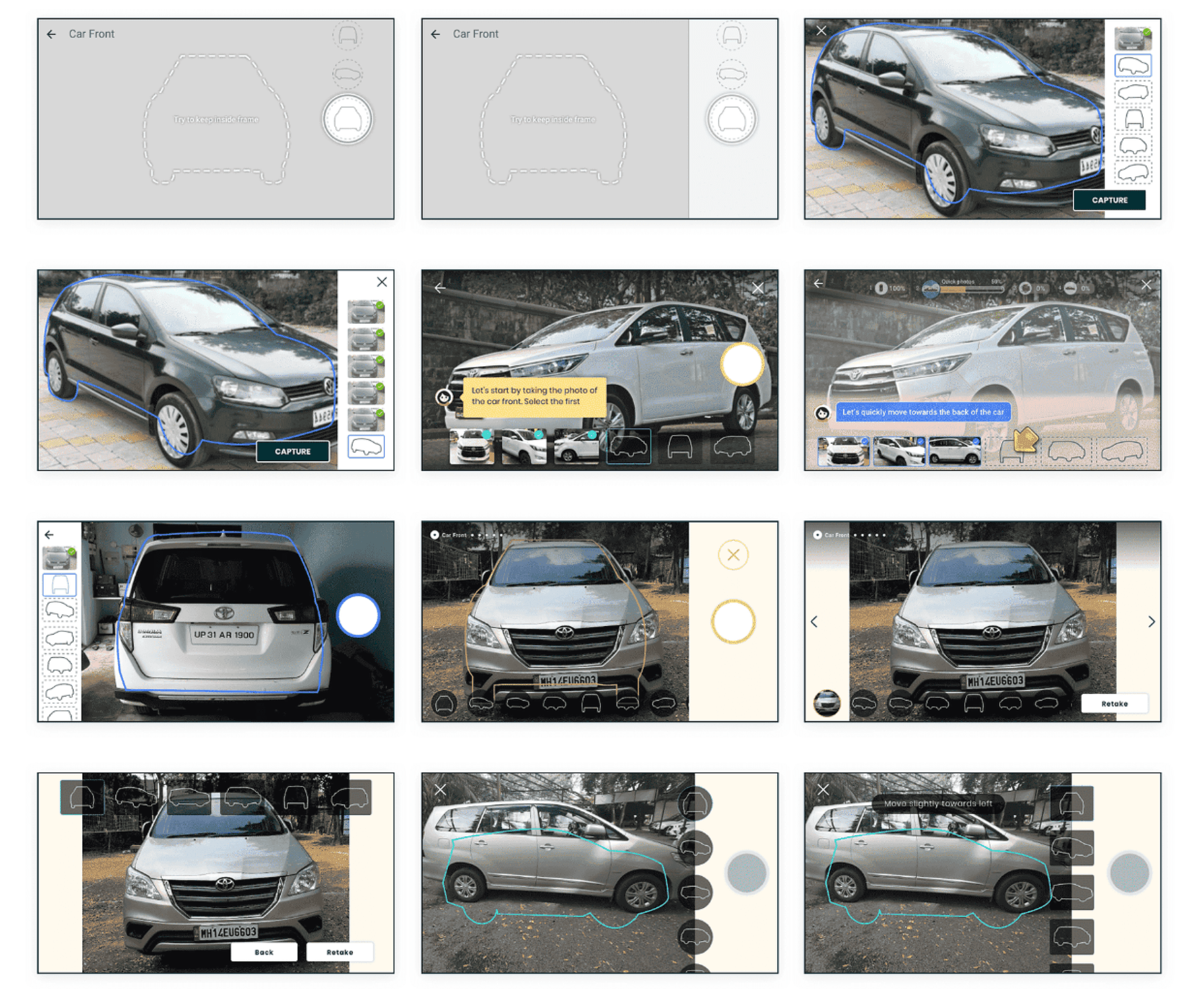
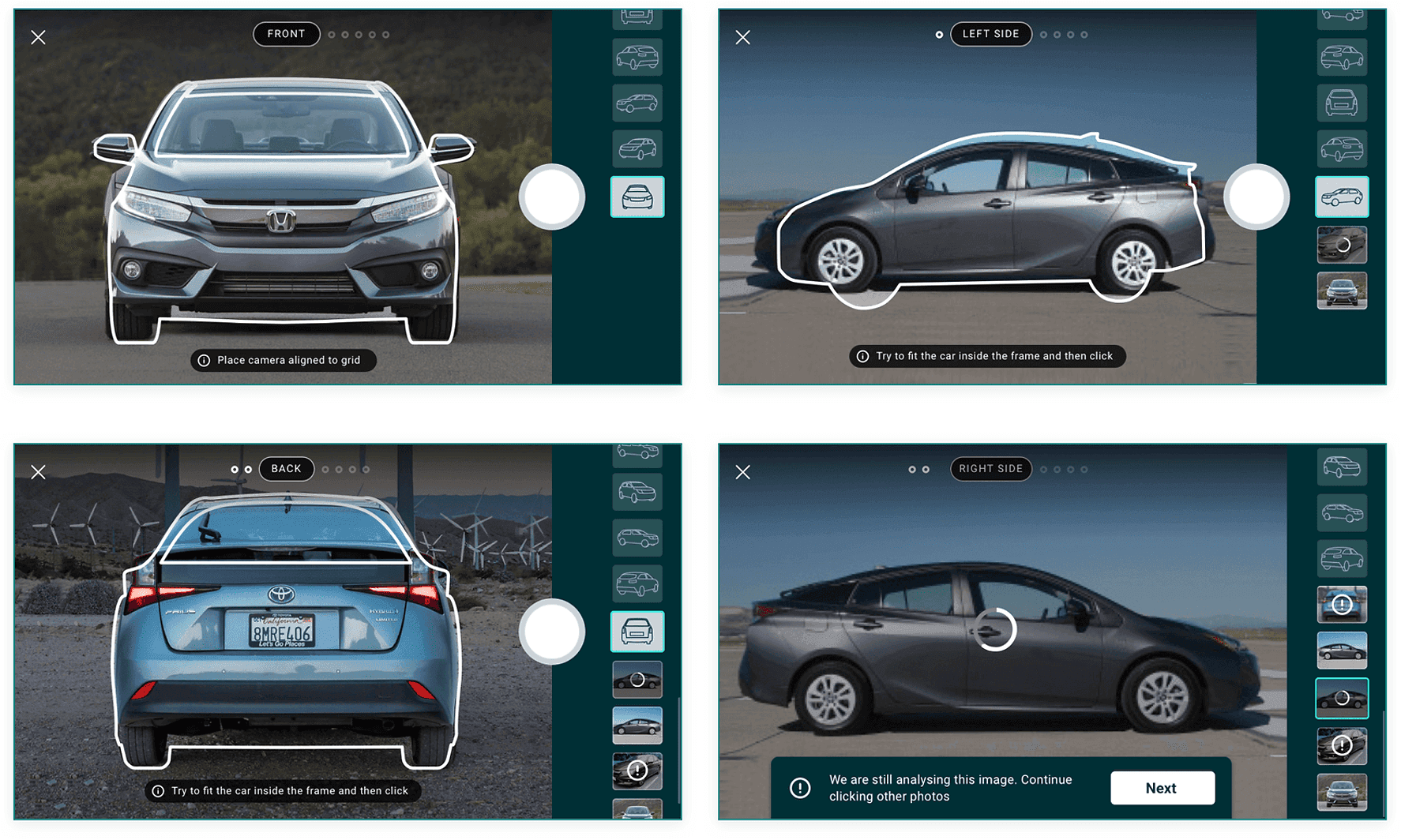
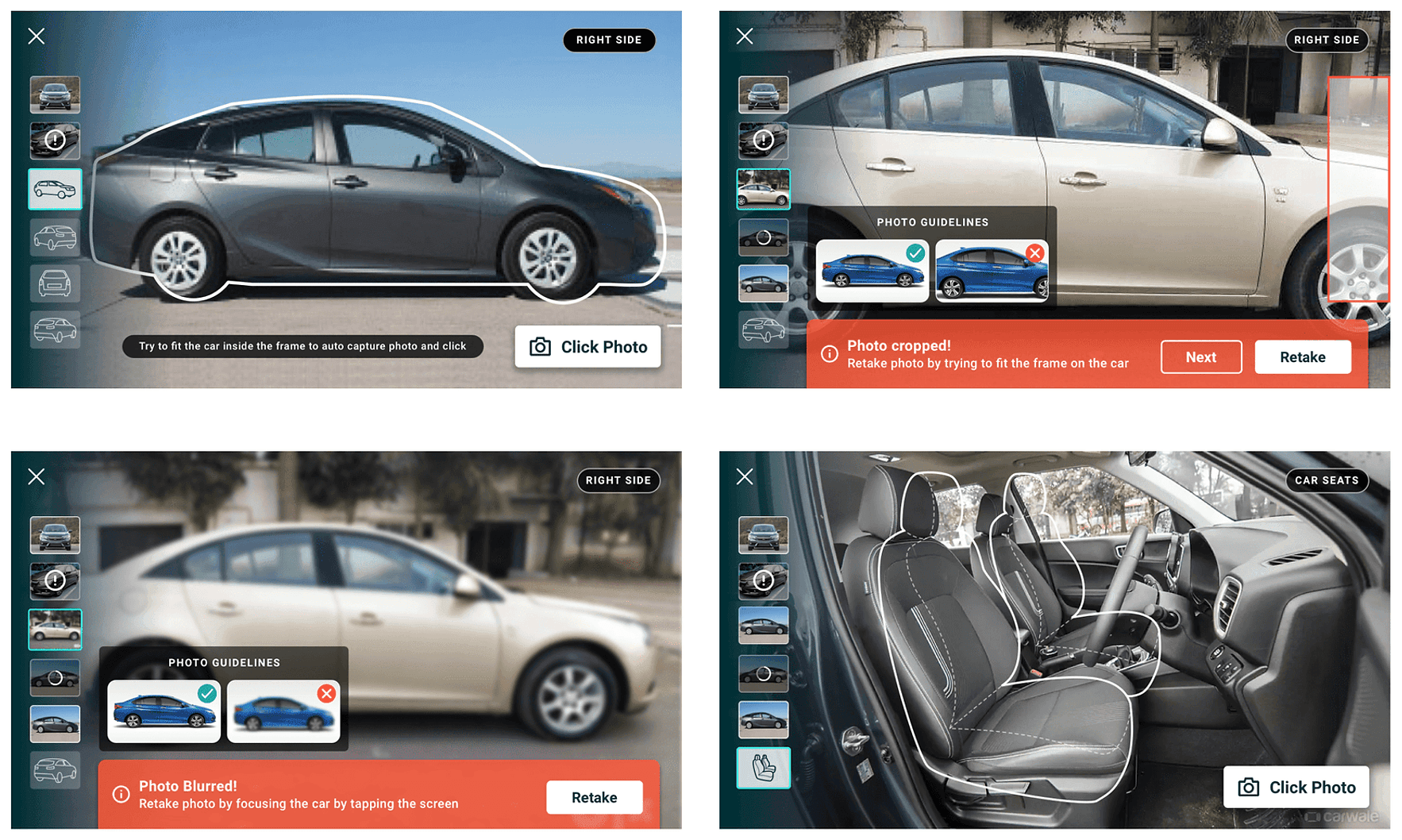
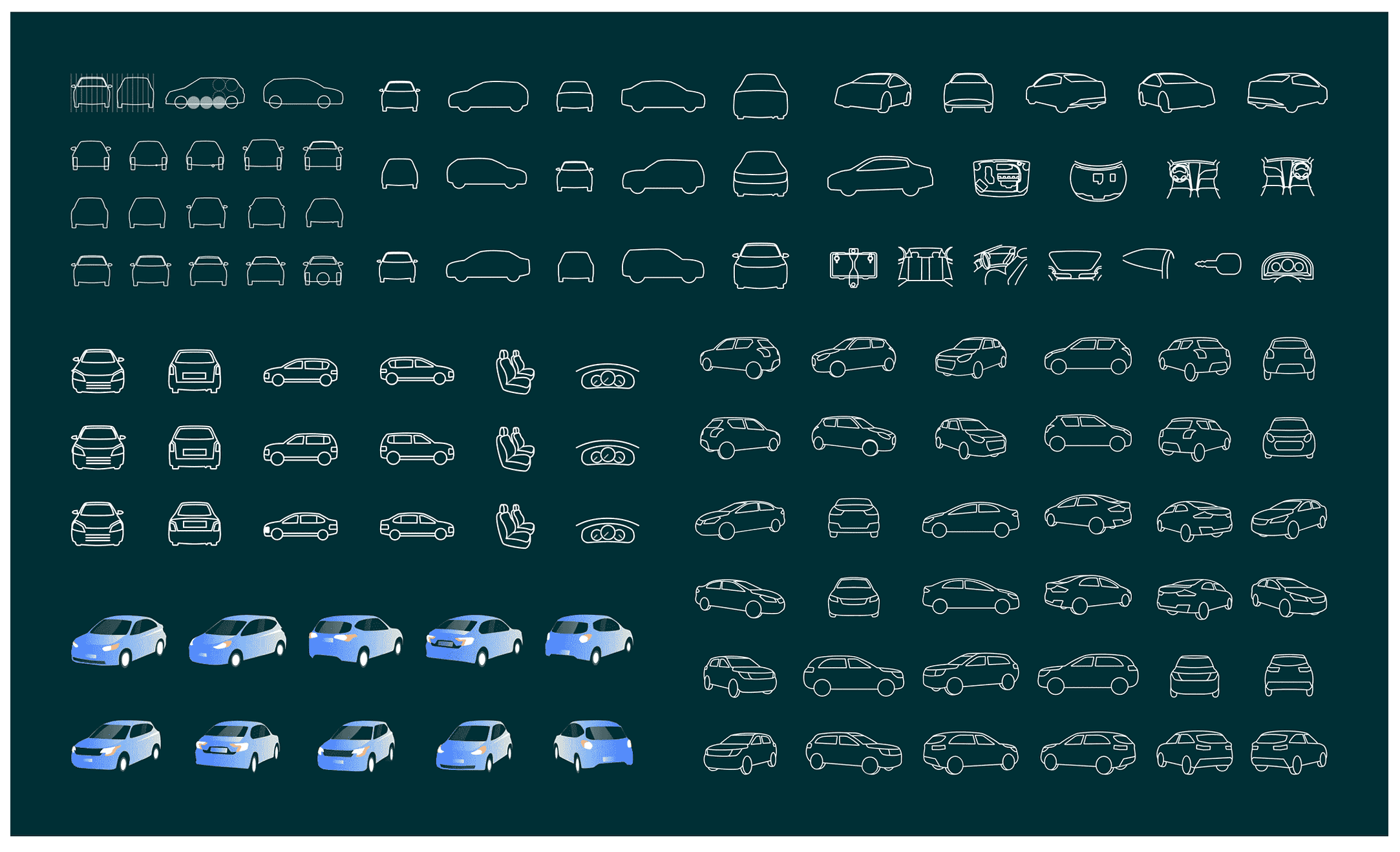
Guidance lives in the lens: stencils, cues, and feedback while you shoot.
Concept 4
Wizard for questions
A short tap-through for facts, separate from condition capture.
We shipped Concept 4 for questions and Concept 3 for condition. Cute chats did not clear the bar for trustworthy inspection data.
What to ask
- Ops and stakeholders listed the data points that build buyer trust.
- Insurance and ownership sat next to condition, not afterthoughts.
- Sellers still needed a path that felt short.
Start screen and exit nudges
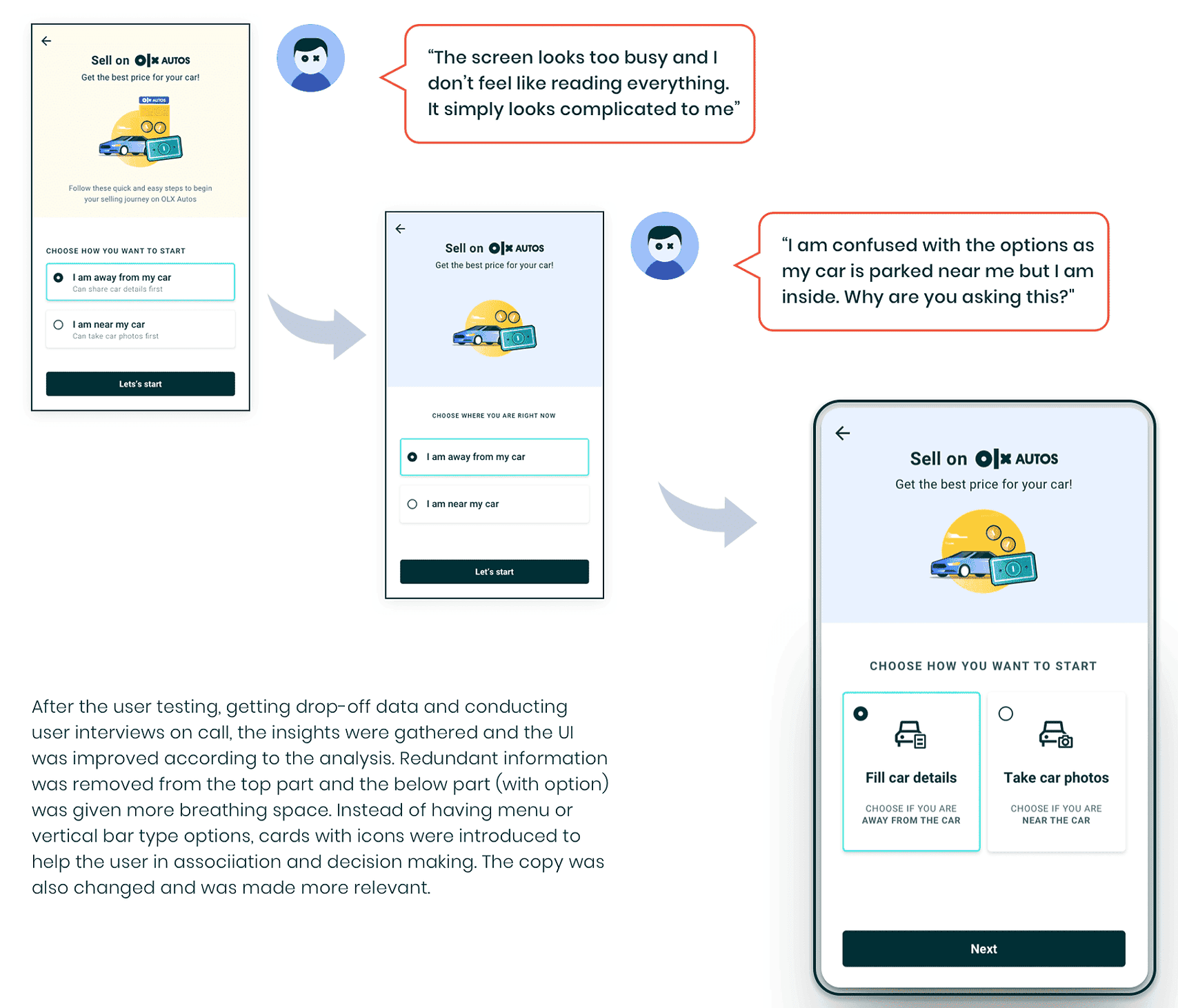
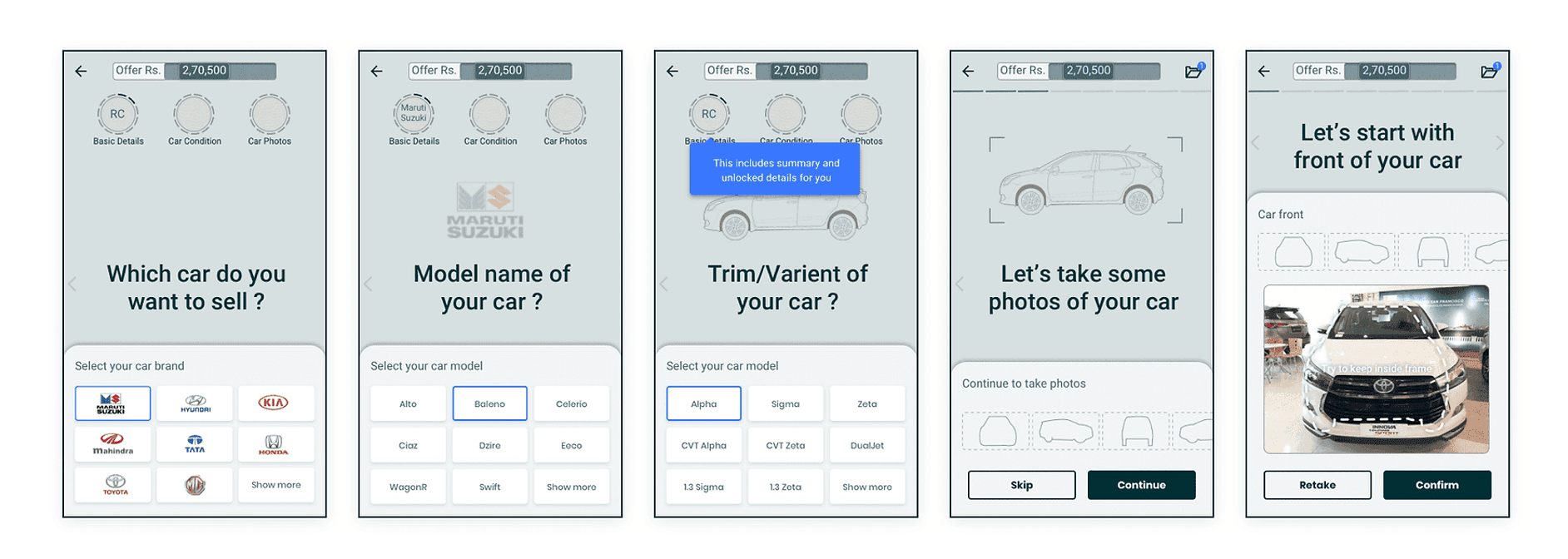
Asking "are you near the car?" failed when people were inside and the car was in the driveway. Iterations landed on two clear cards: fill details, or take photos.
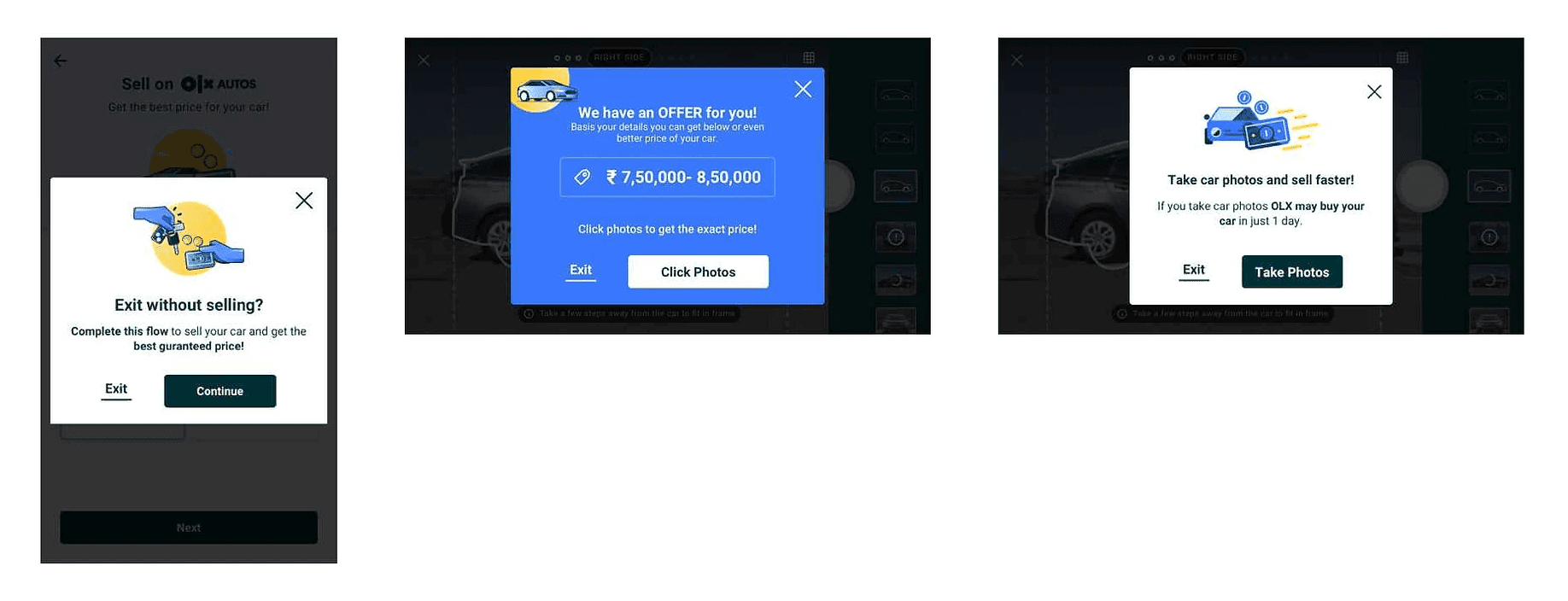
Nudge A
Generic exit
A confirm on most screens so leaving is intentional.
Nudge B
Offer with a range
Once enough data exists to price, show a range instead of a dead end.
Nudge C
Camera bail-out
A camera-specific nudge if someone exits mid-shoot.
How to fill the car
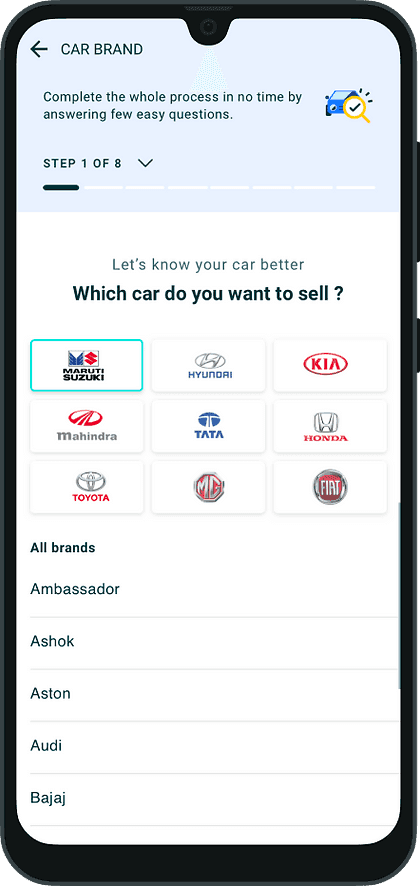
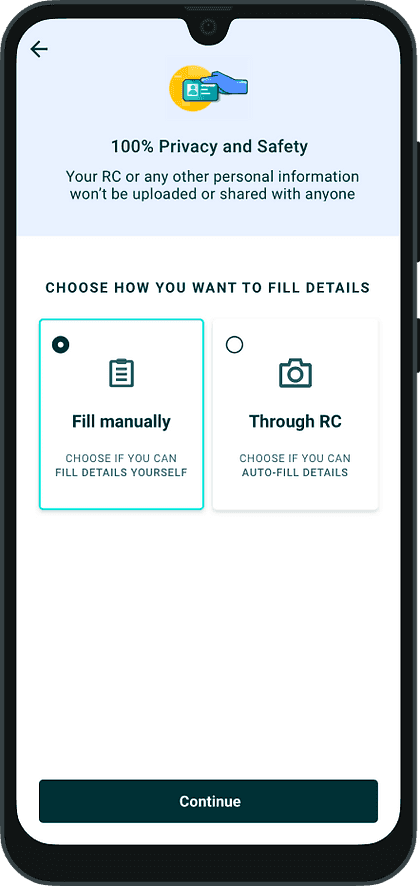
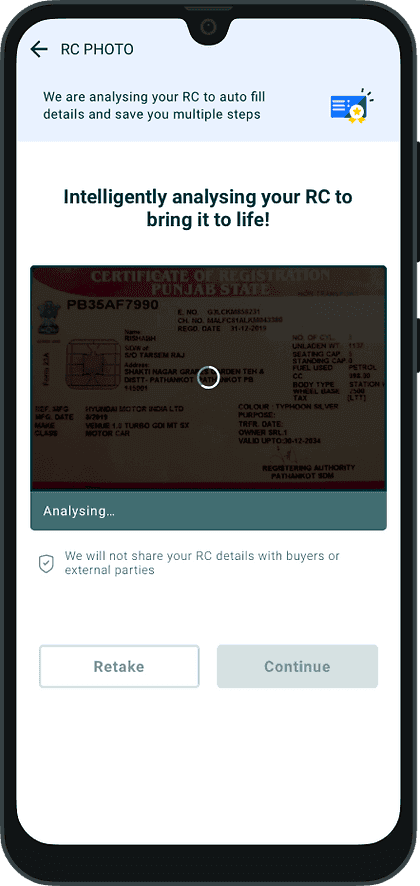
Three ways in. Prefer speed when documents or plates work; fall back to manual when they do not.
Option 1
Registration certificate
Scan the RC and pull the details.
Option 2
Car number
Fetch details from the plate when a scan is not handy.
Option 3
Fill manually
Tap through brand, model, and variant when neither fetch works.
Camera: landscape on purpose
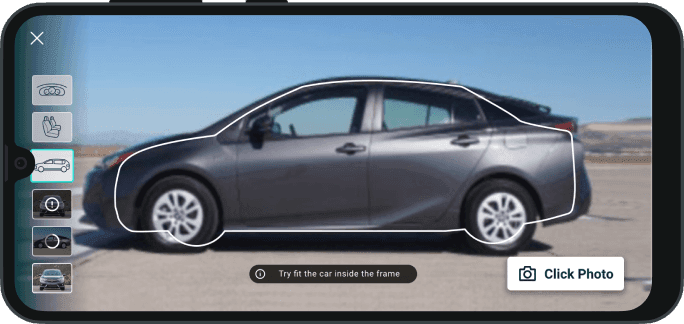
Layout was not a preference exercise. Portrait trials lost the car. Landscape won for proportion, preview size, and less junk in the frame.
Tried
Portrait camera
Familiar phone orientation. Too little of the car, too much of everything else.
Shipped
Landscape camera
Fits car proportions, bigger preview, controls that flip for left-handed shooting.
What testing taught us
- Stencils and error states helped. Continuous shooting felt right.
- Cars parked against walls were hard to frame.
- People did not know how to open the bonnet for engine shots.
- A light toolbar disappeared outdoors.
- Some cars sit far from home, so the away path mattered.
Camera experiments after launch
After ship we kept testing the camera as answers to the UAT failures, not as polish.
Experiment 1
Angled shots
Help people shoot in tight parking without cropping the car.
Experiment 2
Explain in flow
Pop-ups that teach the next move instead of dumping people into the lens.
Experiment 3
Clearer errors
Cropped, blurry, or off-frame: say so, then retake.
Outcome
After first launch: more leads, more cars bought, and engineers spent time on cars that needed a second look instead of every driveway.
- 5xMore leads
- 2xMore cars bought
- 3Countries shipped
- Leads grew faster than ops could buy. Humans stayed in the loop while capacity caught up.
- That was the point of the camera: fewer wasted visits, not zero humans.